| Creation a groove on a bolt |
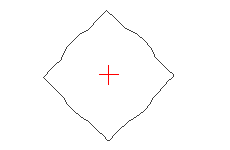
In the vector editor we create such artful figure: a circle with 4 triangular ledges where diameter of a circle is diameter of a bolt. |
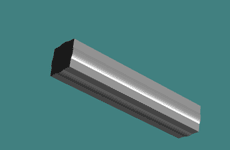
We expose parameters Bevel to receive length of a bolt. |
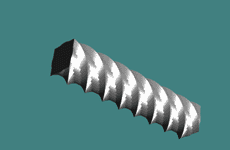
Now on our object we impose effect Twist (turn Z on 360 degrees, it is a maximum). |
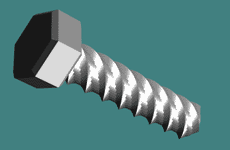
We add head (hexagon with Flat Bevel) and the bolt is ready to the use :) . |
| Creation of a sphere with an aperture (I some times heard opinion, that in Cool3d it to make it is impossible) |
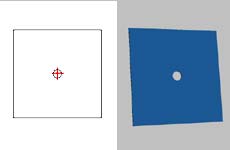
We create a square with an aperture, the size of a square and an aperture you can be changed in a consequence on ready object. |
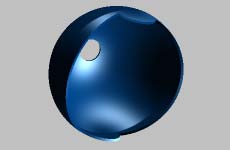
We use effect Surface Animation - Sphere, only do not include Fit Surface, that will not be apertures from the back side. |
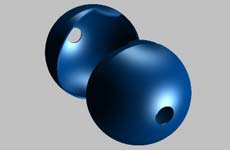
We copy object, a copy we rotate on 180 degrees and we connect both parts in a sphere. |
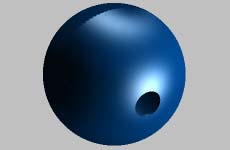
At the given stage we have received a hollow sphere with a through aperture. |
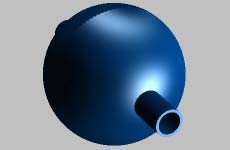
It is possible to continue and receive full sphere. In the vector editor we create a ring appropriate on the sizes to an aperture in a sphere and with Bevel we adjust his length under our sphere. |
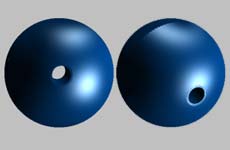
And the sphere is ready. |
| In the given examples I did not pursue the purpose to learn you to make a bolt and a sphere, I simply show an opportunity of the program and that at connection to work of imagination, is possible to achieve interesting results. |






